
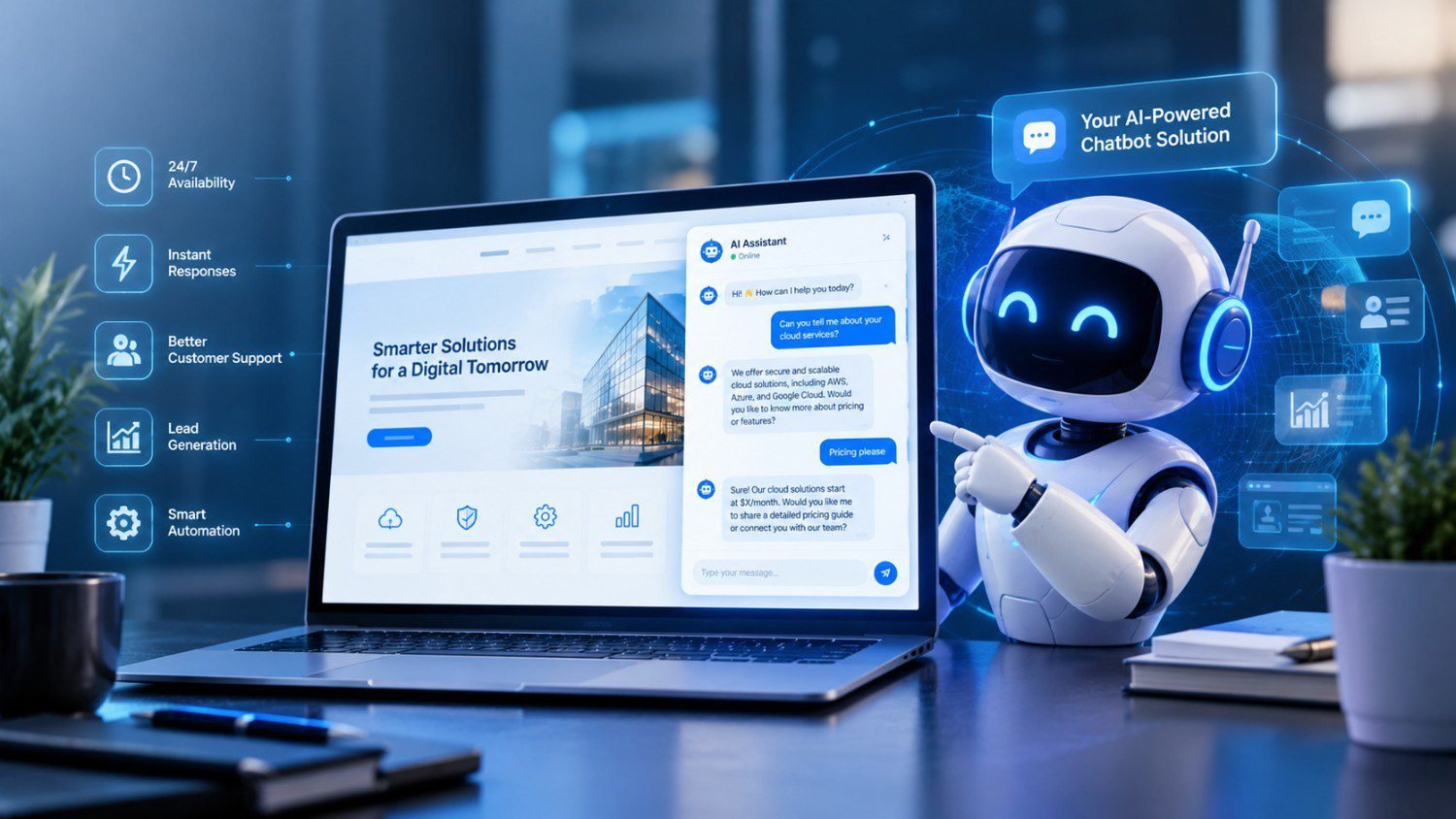
Visitors expect quick answers when they land on a business website. Many leave if they cannot find what they need within a few seconds. This is the gap that AI chatbot development services are built to close. A chatbot on your site can answer questions and point visitors to the right page. It can also collect contact details at any hour of the day.
This guide explains what a website chatbot does and where it helps most. It also covers how to add an AI chatbot to your website and what to check before you start. Before looking at tools and costs it helps to answer one question: why should you have an AI chatbot on your website?
The short answer is that most websites lose visitors and leads during hours when no one is available to reply. A chatbot covers those hours and handles routine questions so your team can focus on work that needs a person. The sections below look at the details.
What Is an AI Chatbot for a Website?
An AI chatbot is software that talks with visitors through a chat window on your site. Older chatbots followed fixed scripts. If a visitor typed something the script did not expect the bot could not respond well. Modern AI chatbots use language models to understand the meaning of a question and reply in plain language.
These chatbots can also draw answers from your own content. That includes service pages, product details, pricing notes and company policies. The bot then gives answers that match what your business actually offers.
There are two common types.
- Rule based chatbots follow set paths and menus. They suit simple tasks such as booking a call or choosing a category.
- AI chatbots understand free text and handle a wider range of questions. They can also keep track of context within a conversation.
Many businesses use a mix of both so that simple flows stay predictable while open questions get flexible answers.
Why Should You Have an AI Chatbot on Your Website?
Website visitors rarely wait. If a page does not answer their question quickly they open another tab. A chatbot gives them a fast way to get an answer without searching through menus or writing an email.
There are a few practical reasons to add one.
- Your team cannot be online at all hours but your website can. A chatbot answers questions at night and on weekends.
- Many visitor questions repeat. Opening hours, delivery times and service details come up every day. A chatbot handles these without using staff time.
- Interested visitors often leave without contacting you. A chatbot can start a conversation while their interest is fresh.
- Answers stay consistent. Every visitor receives the same approved information.
An AI chatbot for website customer support handles the first line of questions and passes complex cases to your team. An AI chatbot for website lead generation asks a few simple questions and records the answers for your sales staff. Both uses can run through the same chat window.
Benefits of Having an AI Chatbot on Your Website
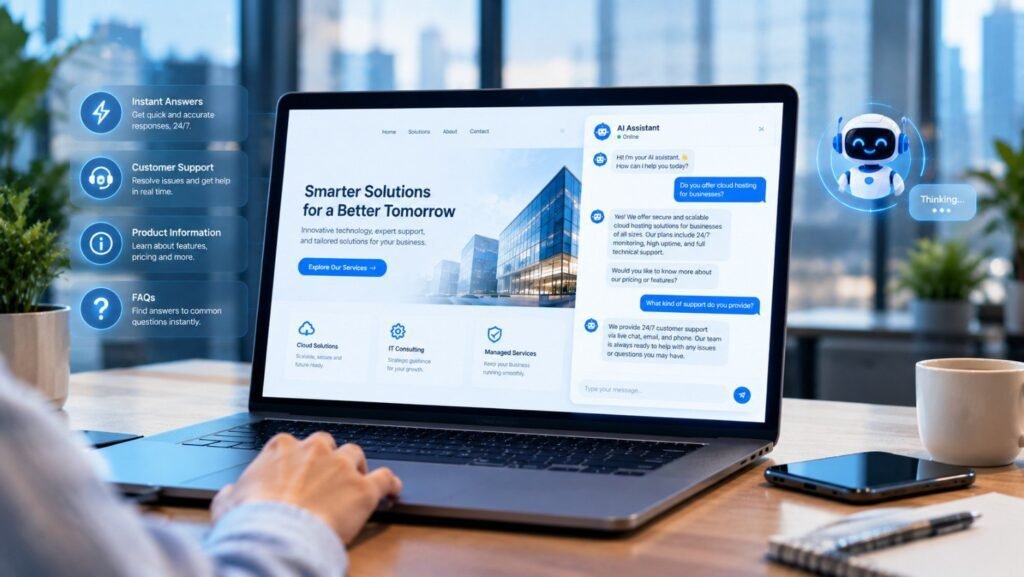
Availability at All Hours
A chatbot works around the clock. Visitors from other time zones get the same quality of reply as visitors during your business hours. This matters for companies that serve clients in several countries.
Faster Responses
Email replies can take hours. A chatbot replies in seconds. Faster answers keep visitors engaged and reduce the chance that they leave for a competitor.
Lower Support Workload
When a chatbot handles common questions your support staff spend less time on repeated tasks. They can focus on billing issues, complaints and technical problems that need judgment. An AI chatbot for website customer support also creates a written record of each conversation. This helps with staff training and quality checks.
Better Lead Capture
Contact forms ask visitors to fill in many fields before they get anything back. A chat conversation feels lighter. Visitors share details step by step as they receive answers. Used this way an AI chatbot for website lead generation can raise the number of completed enquiries without adding pressure.
Useful Visitor Insight
Chat logs show what people ask most often. You may find questions your pages do not answer well or services that draw more interest than expected. This information can guide updates to your site and your content plan.
Room to Scale
When traffic grows you do not need to hire agents at the same rate. The chatbot handles more conversations at once. Each of these points shows how an AI chatbot helps your website beyond simple chat.A chatbot affects more than support and sales. It also changes how visitors move through your site.
Pros and Cons of Having an AI Chatbot on Your Website
A practical comparison of how website chatbots can support customer service and lead generation, along with the limitations businesses should consider.
| Pros (Advantages) | Cons (Disadvantages) |
| 24/7 Customer SupportAn AI chatbot for website customer support can answer common questions at any time, including nights, weekends, and holidays, without requiring staff to be online. | Cannot Handle Every SituationChatbots may struggle with complex complaints, billing disputes, unusual requests, or technical problems that require human judgment. |
| Faster Response TimesChatbots provide answers within seconds, helping visitors find information quickly and reducing the chance that they leave your website to visit a competitor. | Risk of Incorrect AnswersIf the chatbot uses outdated content or misunderstands a question, it may provide misleading information and damage customer trust. |
| Improved Lead GenerationAn AI chatbot for website lead generation can ask visitors about their needs, budget, and timeline before collecting contact details, helping sales teams identify qualified leads. | Not Every Visitor Will EngageSome visitors prefer email, phone calls, or traditional contact forms. Others may leave if the chatbot interrupts their browsing or asks for personal details too early. |
| Reduced Support WorkloadAutomating repetitive questions about pricing, services, delivery, and policies allows employees to focus on complex issues that need personal attention. | Setup and Maintenance CostsAlthough a basic chatbot can be inexpensive to launch, advanced integrations, custom AI chatbot development services, testing, and ongoing maintenance may increase costs. |
| Handles More Conversations at OnceA chatbot can respond to multiple website visitors simultaneously, making it easier to manage growing traffic without increasing support staff at the same rate. | Limited Understanding and ContextEven modern AI chatbots can misunderstand ambiguous questions, lose context, or fail to recognize when a visitor needs a human agent. |
| Useful Visitor InsightsChat logs reveal frequently asked questions, customer concerns, and missing information, helping businesses improve website content and plan future marketing activities. | Privacy and Data Security RisksChatbots may collect names, email addresses, and other personal information. Poor data handling, excessive collection, or weak access controls can expose sensitive information. |
| Consistent InformationWhen configured with accurate, approved content, a chatbot can provide consistent answers about products, services, pricing, and company policies. | Requires Regular UpdatesChanges to pricing, policies, services, and FAQs must be reflected in the chatbot’s knowledge base. Without regular reviews, its answers can become outdated. |
| Better Visitor EngagementBy answering questions and guiding visitors to relevant service pages, booking forms, or product information, a chatbot can make navigating your website easier. | Does Not Guarantee Better SEO or SalesA chatbot does not directly improve search rankings or guarantee conversions. Results depend on implementation, website content, visitor needs, and the quality of the overall customer experience. |
How an AI Chatbot Helps Your Website?
Guides Visitors to the Right Page
Visitors who are unsure where to start can describe their need in one sentence. The chatbot replies with a short answer and a link to the relevant page. This shortens the path to a service page or a booking form.
Keeps Visitors Engaged
A conversation gives visitors a reason to stay longer on a page. They can ask follow up questions instead of leaving to search elsewhere. Longer and more useful visits are a good sign that your content meets visitor needs.
Shows Content Gaps
Chat questions reveal topics that your pages do not cover. A chatbot does not change search rankings directly. Still the questions can shape new articles and page updates. Teams that follow digital marketing and AI trends often use this type of visitor data to plan content.
Connects With Other Channels
Chatbot data can feed your email follow ups, your CRM and your campaign planning. This is how an AI chatbot helps your website connect with the rest of your marketing.
AI Chatbot for Website Customer Support
Customer support is the most common use of a website chatbot. The setup is straightforward and the results are easy to measure.
A support chatbot can handle these tasks.
- Answer questions about services, pricing and policies
- Check order or booking status through connected systems
- Guide users through basic troubleshooting steps
- Collect details before passing a case to a person
- Reply in more than one language when needed
The handoff to a human agent is an important part of the design. If the chatbot cannot answer a question or the visitor asks for a person the chat should transfer with the full conversation attached. The visitor should not have to repeat anything.
Accuracy also matters. The chatbot should answer only from approved content. When it does not know an answer it should say so and offer to connect the visitor with your team. This protects trust and prevents wrong information from reaching customers.
AI Chatbot for Website Lead Generation
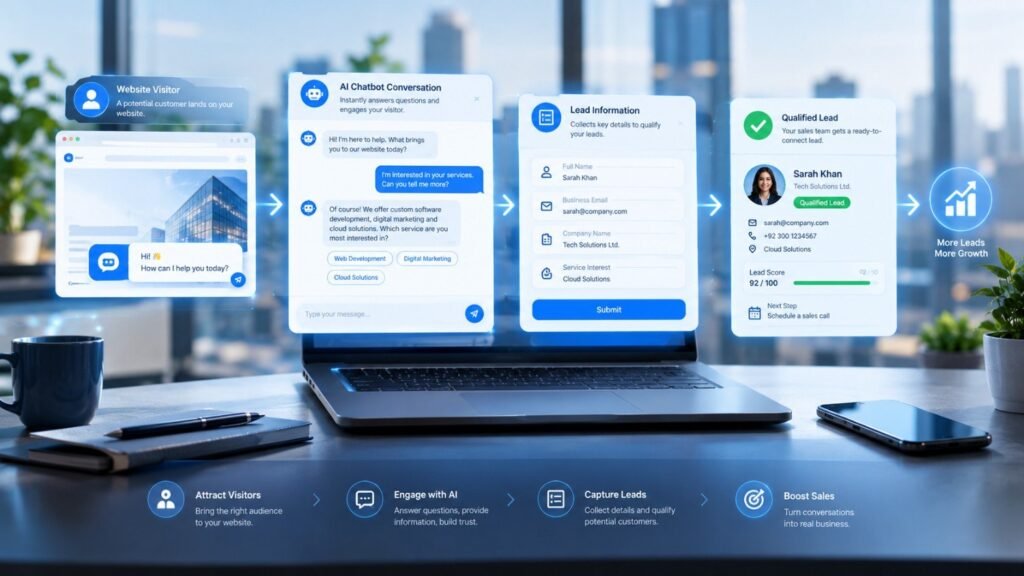
Not every visitor is ready to buy on the first visit. A chatbot lets you start a conversation without asking for a large commitment.
A lead generation chatbot usually follows this path.
- It greets the visitor based on the page they are viewing
- It answers a first question
- It asks two or three short questions about needs, budget or timeline
- It requests contact details once the visitor shows interest
- It sends the lead and a chat summary to your CRM or email
This process also helps with qualification. A visitor who wants a quote for a large project can be routed to sales right away. A visitor who is only researching can receive a helpful article and a reminder to return later. Your sales team then spends time on the leads most likely to convert.
You can also let the chatbot book meetings directly on a calendar. This removes the back and forth of email scheduling. Businesses that already run SEO or paid campaigns can send that traffic into a chat that qualifies visitors instead of a static form. Our article on AI powered software and digital marketing from Pakistan explains how these services fit together.
Where Website Chatbots Work Well
Chatbots suit many industries. The benefits of having an AI chatbot on your website differ by sector though.
- Healthcare: appointment requests and clinic information
- eCommerce: product questions, delivery details and returns
- Education: course details, admission steps and deadlines
- Financial services: service explanations and appointment booking
- Real estate: property enquiries and viewing requests
- Professional services: consultation bookings and service overviews
Each industry has its own rules about data and accuracy. Regulated fields such as healthcare and finance need extra care around privacy and the type of advice a chatbot may give. You can browse the sectors ZatiqSol works with on the industries page.
How to Add an AI Chatbot to Your Website
The process is easier when it follows a clear order. These steps apply whether you use a readymade platform or a custom build.
Step 1: Define the Goal
Decide what the chatbot should do first. Support, lead capture and appointment booking each need a different design. Pick one main goal and add others later.
Step 2: Gather Your Content
The chatbot is only as accurate as the information behind it. Collect FAQs, service pages, pricing notes, policies and past support emails. Remove outdated material before you use it.
Step 3: Choose Your Approach
You can use a readymade chatbot platform or a custom build. Readymade tools are quick to launch and suit basic needs. A custom build gives more control over behavior, data handling and connections to your existing software.
Step 4: Design the Conversation and Handoff
Write the greeting, the main question paths and the rules for passing a chat to a person. Keep the tone consistent with your brand. Short replies work better than long blocks of text.
Step 5: Connect Your Tools
Link the chatbot to systems your team already uses such as a CRM, helpdesk, calendar or email tool. Most chatbots are added to a site through a small code snippet or a plugin. Connections to other software may need developer support.
Step 6: Test Before Launch
Test with real questions from customers. Check for wrong answers, unclear replies and broken links. Ask staff to try to confuse it. Fix the problems you find before visitors see them.
Step 7: Launch and Improve
Start on a few key pages and watch the results. Review conversations weekly at first. Add missing answers and adjust the flows. A chatbot improves with regular updates.
When to Choose Custom AI Chatbot Development Services

A readymade tool may be enough for a small site with a short list of questions. Custom work makes more sense when you need any of the following.
- A connection with internal systems such as a CRM or order database
- Answers drawn from large or changing document sets
- Control over where data is stored and who can access it
- Conversation flows that fit your sales process
- Support for several languages and channels
When you review AI chatbot development services look at how the provider handles content accuracy, data security and testing. Ask how the handoff to human staff works and what support continues after launch. If you are unsure how to add an AI chatbot to your website in a way that fits your systems a planning call with the Zatiq Sol team can clarify the options.
Budget is another common concern. Costs depend on scope, integrations and ongoing maintenance. Our AI development services cost guide explains the main cost factors and how to plan a budget.
Privacy and Data Handling
A chatbot collects names, email addresses and sometimes sensitive details. Treat this data with the same care as form submissions. Tell visitors that they are chatting with an automated assistant and explain how their information is used.
Store chat logs securely and limit access to staff who need them. If your audience is in a region with privacy rules such as GDPR review those rules before launch. Custom builds give you more control here because you decide where data is stored and which providers process it. Avoid asking for payment details or passwords inside a chat window.
Common Mistakes to Avoid
- Launching without a clear goal, which leads to a chatbot that does a little of everything and none of it well
- Using outdated content, which causes wrong answers
- Hiding the option to speak with a person
- Skipping regular reviews after launch
- Collecting more personal data than the chatbot needs
The question of why should you have an AI chatbot on your website is only half the picture. The other half is how you run it. A poorly managed chatbot can frustrate visitors more than having no chatbot at all.
How to Measure Results
Set a few clear measures before launch so you can judge the chatbot fairly.
- Resolution rate: the share of chats solved without a person
- Handoff rate: how often chats move to your team
- Leads captured and how many became qualified
- Visitor ratings after a chat
- Support ticket volume compared with the period before launch
Measuring how an AI chatbot helps your website means comparing these numbers with your figures from before launch. The benefits of having an AI chatbot on your website should show up as fewer repeated tickets, faster replies and more qualified enquiries. If they do not, review your content and conversation flows first.
Conclusion
A website chatbot is a practical tool for answering questions and capturing leads outside office hours. It works best when it has a clear goal, accurate content and a simple route to your team. So why should you have an AI chatbot on your website? Because it gives visitors answers when they need them and gives your team cleaner information about who is interested.
If you are considering AI chatbot development services start by listing the questions your visitors ask most often. That list will shape the scope, the content and the budget. You can read more common questions on the Zatiq Sol FAQ page or learn about the company on the Zatiq Sol website.
What are the benefits of having an AI chatbot on your website?
A chatbot gives visitors quick answers at any hour and reduces repeated questions for your team. It also captures contact details and shows what visitors ask most. Together these points improve response times and help your team spend effort on higher value work.
Can an AI chatbot for website customer support replace human agents?
No. A chatbot handles routine questions well but cannot manage every case. Complaints, billing disputes and complex technical issues still need a person. The best setup lets the chatbot answer common questions and pass difficult ones to your team with the full chat history.
How does an AI chatbot for website lead generation work?
The chatbot greets visitors and answers their first question. It then asks a few short questions about their needs and collects contact details when interest is clear. The lead and chat summary go to your CRM or email so your sales team can follow up.
How to add an AI chatbot to your website?
Set a clear goal and gather accurate content. Choose a readymade platform or a custom build then design the conversation and human handoff. Connect your tools and test with real questions. Add the code snippet or plugin to your site and review chats after launch.
How long does it take to build a website chatbot?
A basic chatbot on a readymade platform can go live in days. A custom chatbot with integrations and testing usually takes several weeks. The timeline depends on content quality, the number of connected systems and how much review your team needs to do.
Need custom AI automation, chatbot, or integration for your business, medical practice, dental clinic, or app? 👇